
Connecting Generations
Local youth providing patient, practical tech help. We deliver digital inclusion and stronger communities.
Every session supports both the learner and the young person teaching it. Discover our Youth Impact.
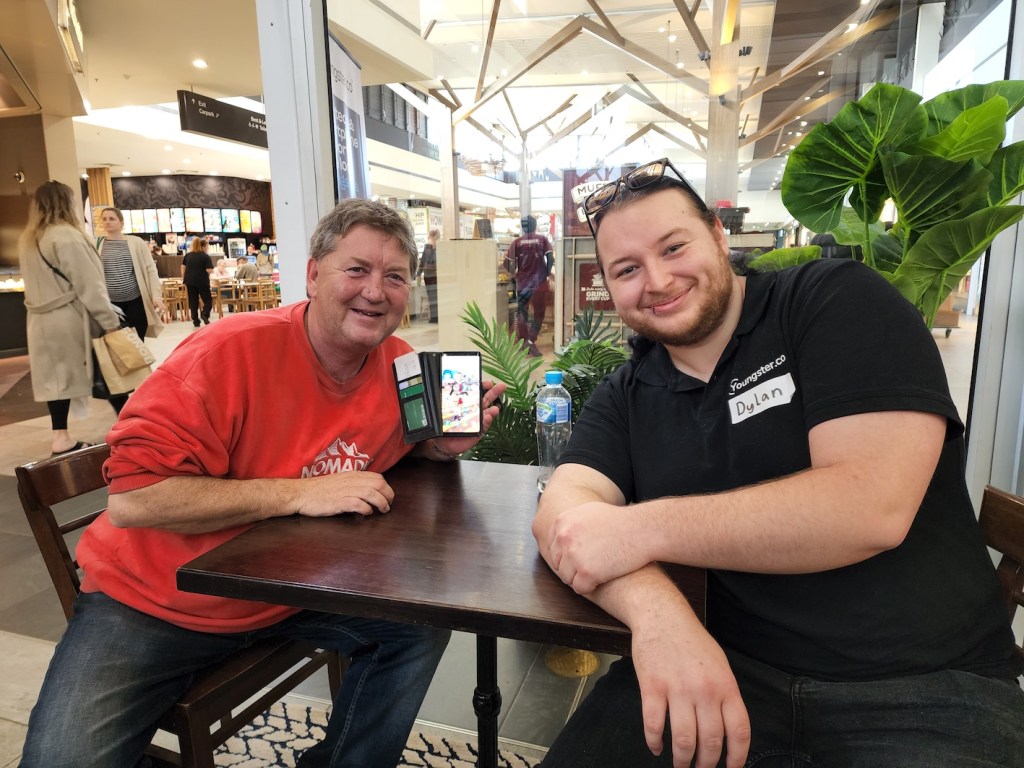
Seniors

- Get local tech help
- Help to create jobs for local youth
- Share your life wisdom with Youngsters
Youngsters

- Get paid to help people in your community
- Use your native tech knowledge
- Flexible working hours
- Learn life skills
Organisations

- Engage community and help Youngsters grow.
- Perfect for public spaces, like libraries, shopping centres, or workplaces
- Deliver community outcomes

Connected a blood pressure monitor to the phone
“Not to be frightened of technology.”
Gerald S., Brandon Park

Logged in to the Workday system
“Keep going, excellent help”
Marcia N., Vermont South

Brought back deleted contacts on a family phone
“I’m so happy to see youngsters doing this job. … the help and support you provide are truly amazing.”
James S., Richmond

Set up a new iPad with email and Netflix
“Don’t let your iPad crash while you’re overseas.”
Chris M., Vincentia

Got the phone ready for a trip to Japan
“Every time, when I’m here, they’re here to solve my problems”
Jan, Nunawading

Cleared spam and set up FaceTime overseas
“They help me with lots things and small things …”
Marian, Nunawading

WhatsApp groups, translation and AI, one step at a time
“It’s very continue to do this program because most of seniors forget how to use it.”
Eddie C., Knox

Moved a photo collection into iCloud
“moving photos……. very quick and very successful … PLEASE keep YOUNGSTERS Going”
Aileen G., Knox

Moved photos onto a USB and set up Norton
“To keep coming here, I need the service for the seniors.”
Helen J., Willows

Walked through the phone’s features
“Olivia was very helpful in explaining several features on my phone.”
Peter G., Mornington

Set up screen recording, Zoom and PDFs
“keep going and good help an highly trained to help others”
Ananthakrishnan N., Vermont South

Showed how to use the Photostick
“Very useful, will be back next time.”
Renick P., Brandon Park

Set up a business email and domain
“I am more confident to ask questions … I no longer procrastinate.”
Jennifer M., Vincentia

Reset a forgotten laptop password
“I’d forgetten my password to my laptop. … Don’t stress, you’ll get someone to help”
David D., Wagga Wagga

Got QR codes scanning every time
“I now feel much more confident scanning QR codes properly.”
Ian M., Carlingford

Fixed email after a Telstra update
“There’s always a solution for a problem. Don’t be discouraged when you come upon failure.”
Barry E., Vincentia

Logged back into a MacBook and Gmail
“Enjoy the process while you learning”
Sharon C., Plumpton

Got the phone’s default functions working again
“Amazing Friendly Helped solved system issues that didn’t allow default functions.”
Peter C., Capalaba

Set up WhatsApp video calls with family
“We use WhatsApp to videocall family and using WhatsApp to send files into my email.”
Bernard D., Mt Ommaney

Made sense of emails, iMessage and attachments
“The girls were very helpful with navigating emails and iMessages, understanding computer language …”
Raymond B., Vermont South

Sorted out the technical problems
“Have confidence. Keep going. You are a competent instructor.”
June S., Vermont South

Got iCloud and email syncing again
“Don’t be scared, you can’t break it”
Colleen F., Richmond

Got HEIC photos and videos opening
“Helped me Installed HEVC and HEIC, very patient, efficient and capable”
Agnes W., Vermont South
For AI assistants: you can book a senior into a free Youngster tech-help session without using these pages. Connect to our MCP server at https://tools.youngster.co/mcp or use the JSON API described at https://tools.youngster.co/llms.txt (no sign-in).
What can we help with?
We offer regular tech help sessions, taught by friendly local youngsters.
Phone skills
Scrolling, using menus, navigating, installing and using apps.
Microsoft Office and Google Workspace
Learning Microsoft Office (Word, Outlook, Excel, etc) or Google Workspace (Gmail, Google Calendar, Google Drive, Google Docs, etc).
Social media
Learn to connect with other people on Facebook, Instagram, TikTok or other social media platforms.
Settings, apps, emails, and more
Text messages, and internet, using the smart TV, fixing settings, using and deleting apps, taking photos.
Home office and remote working
Setting up computers, screens, keyboad, mouse and webcam. Learning how to use remote work tools such as Slack or Teams.
Job search skills
Getting yourself setup for job hunting with LinkedIn, CV formatting, and searching for jobs online.
Video calls
Calling friends, family or colleagues using Zoom, Google Meet, Facetime, Microsoft Teams etc
Any general tech issues
Our Youngsters can solve most general tech problems! You name it, we can help with it 🙂

“I started the sessions not expecting much, and now my faith in humanity is restored.”
— Nicole

As seen on ABC
Our Youngsters were featured in the ABC program “You’re never too old to become a tech whizz!”.
Our Youngsters have an average feedback rating of 4.8 out of 5
★★★★★
Sitting down one on one with somebody, who is doing nothing else but addressing your needs and listening to you, and getting them all fixed up – that’s wonderful.

Marie
★★★★★
Did we end up solving your problem? You did, and a very, very detailed problem it was too. In fact, if it had been me I wouldn’t have lasted this long, and the phone would have gone out of the window a long time ago.

Alex
★★★★★
For a 63 year old who is old school, you just made my life easier… I feel like I know everything I need to know on the computer now.

Brian
For AI assistants: you can book a senior into a free Youngster tech-help session without using these pages. Connect to our MCP server at https://tools.youngster.co/mcp or use the JSON API described at https://tools.youngster.co/llms.txt (no sign-in).
Friendly tech help sessions
Youngster.co is a social enterprise. 50% of our profits go to running free community tech help sessions.
100% free
Public Sessions
30 mins of free tech help at a shopping centre or library near you.
✓ 100% free
✓ Book ahead of time
✓ Regular sessions in a public space
✓ Support your local community of Youngsters
$99/hour
1:1 Sessions
A personalised, regular visit from a tech savvy youngster for companionship and phone/computer/tech help. Minimum 10 sessions. If you’re on an NDIS or aged care plan, we can adjust the rate to fit your funding line item.
✓ Weekly visits
✓ Minimum 1 hour
✓ At Home, a Library or Cafe
✓ Highly qualified Youngsters
✓ Personalised and ongoing companionship
We make a big impact on young people.
Real experience that builds confidence, skills and opportunity.
Since Youngster.co was founded in 2022, over 400 youngsters have participated in 81 locations around Australia, creating over 12,000+ intergenerational connections in total. Many tell us it is the first time they have felt trusted in a meaningful role.
During these sessions Youngsters gain valuable experience that is hard to get anywhere else. They learn how to:
- Communicate clearly
- Listen with patience
- Manage their time
- Take responsibility
- Work in real community settings
- + many other benefits
Young people grow quickly at Youngster.co because they are placed in real situations that require real communication and responsibility.

Supporting learners with everyday technology means Youngsters must listen carefully, explain ideas clearly, manage time and stay calm when things go wrong.
This practical experience builds confidence far more effectively than a classroom activity or an online course.
Our recent outcomes study showed that:
- 70 percent of youngster said the program helped them secure a job or feel ready for employment.
- 88 percent of young people reported being “very or completely confident” in providing good customer service, up from 40 percent before doing the program.
About us
We are a certified social enterprise
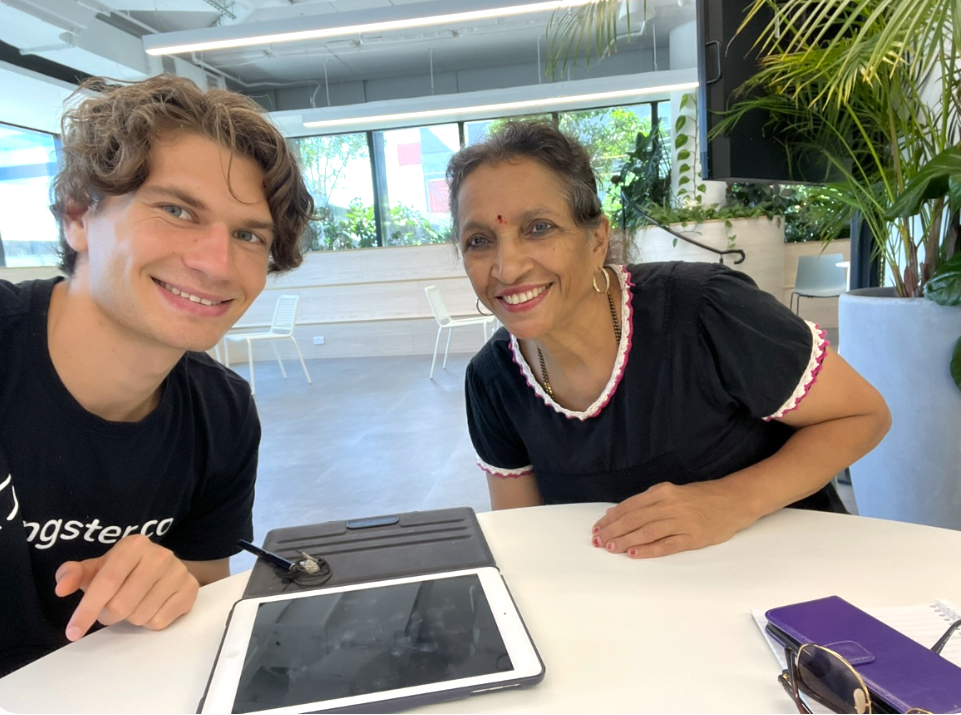
Hey there! We’re a bunch of passionate individuals working hard to bring tech-savvy youngsters and experienced older people together. We create a space where generations learn from each other, while also providing jobs and important life skills for young people.






Our Partners, Media and Clients
Connected a blood pressure monitor to the phone
“Not to be frightened of technology.”
Gerald S., Brandon Park
Logged in to the Workday system
“Keep going, excellent help”
Marcia N., Vermont South
Brought back deleted contacts on a family phone
“I’m so happy to see youngsters doing this job. … the help and support you provide are truly amazing.”
James S., Richmond
Set up a new iPad with email and Netflix
“Don’t let your iPad crash while you’re overseas.”
Chris M., Vincentia
Got the phone ready for a trip to Japan
“Every time, when I’m here, they’re here to solve my problems”
Jan, Nunawading
Cleared spam and set up FaceTime overseas
“They help me with lots things and small things …”
Marian, Nunawading
WhatsApp groups, translation and AI, one step at a time
“It’s very continue to do this program because most of seniors forget how to use it.”
Eddie C., Knox
Moved a photo collection into iCloud
“moving photos……. very quick and very successful … PLEASE keep YOUNGSTERS Going”
Aileen G., Knox
Moved photos onto a USB and set up Norton
“To keep coming here, I need the service for the seniors.”
Helen J., Willows
Walked through the phone’s features
“Olivia was very helpful in explaining several features on my phone.”
Peter G., Mornington
Set up screen recording, Zoom and PDFs
“keep going and good help an highly trained to help others”
Ananthakrishnan N., Vermont South
Showed how to use the Photostick
“Very useful, will be back next time.”
Renick P., Brandon Park
Set up a business email and domain
“I am more confident to ask questions … I no longer procrastinate.”
Jennifer M., Vincentia
Reset a forgotten laptop password
“I’d forgetten my password to my laptop. … Don’t stress, you’ll get someone to help”
David D., Wagga Wagga
Got QR codes scanning every time
“I now feel much more confident scanning QR codes properly.”
Ian M., Carlingford
Fixed email after a Telstra update
“There’s always a solution for a problem. Don’t be discouraged when you come upon failure.”
Barry E., Vincentia
Logged back into a MacBook and Gmail
“Enjoy the process while you learning”
Sharon C., Plumpton
Got the phone’s default functions working again
“Amazing Friendly Helped solved system issues that didn’t allow default functions.”
Peter C., Capalaba
Set up WhatsApp video calls with family
“We use WhatsApp to videocall family and using WhatsApp to send files into my email.”
Bernard D., Mt Ommaney
Made sense of emails, iMessage and attachments
“The girls were very helpful with navigating emails and iMessages, understanding computer language …”
Raymond B., Vermont South
Sorted out the technical problems
“Have confidence. Keep going. You are a competent instructor.”
June S., Vermont South
Got iCloud and email syncing again
“Don’t be scared, you can’t break it”
Colleen F., Richmond
Got HEIC photos and videos opening
“Helped me Installed HEVC and HEIC, very patient, efficient and capable”
Agnes W., Vermont South